Verifying bills
Navigate to “Verify” in the navigation bar to start verifying bills
The Verify page is split into 2 sections: 1) List of Bills 2) Bill details
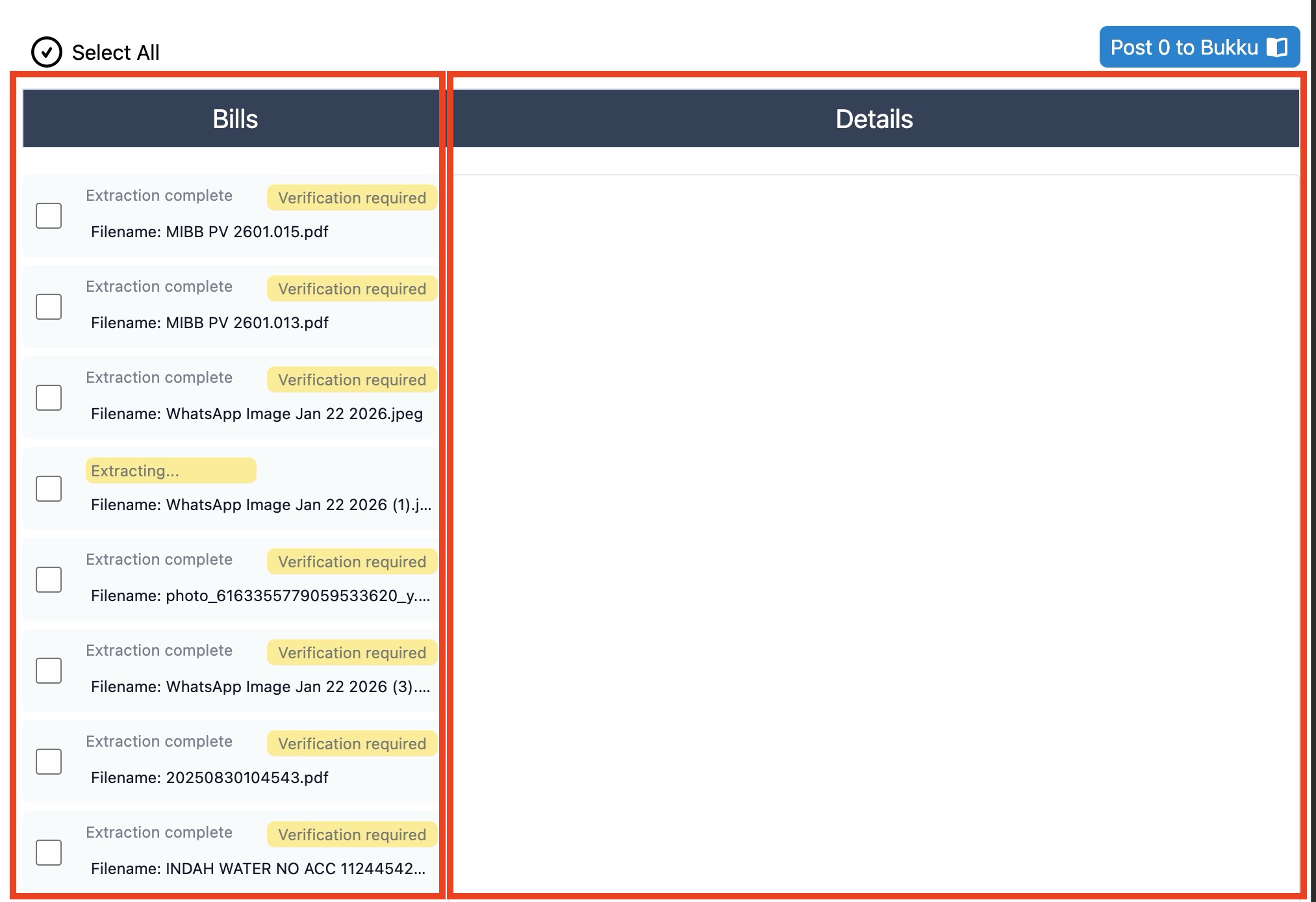
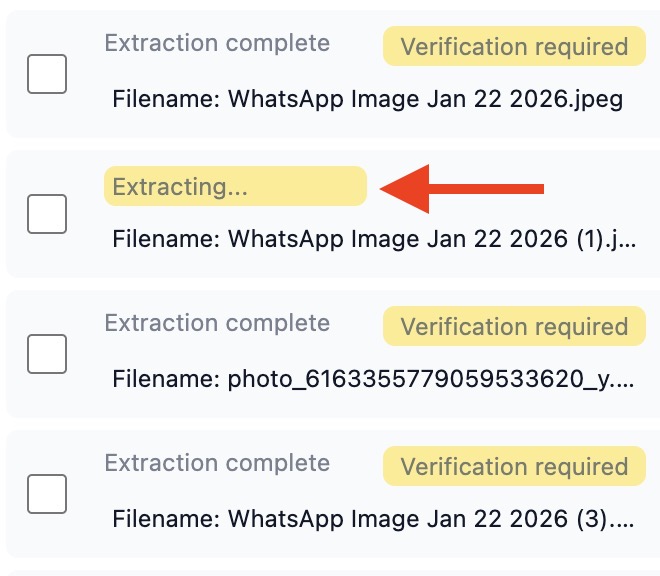
Every bill that is uploaded will be listed in the List of Bills. Bill that are in the process of being extracted are labeled as “Extracting…”
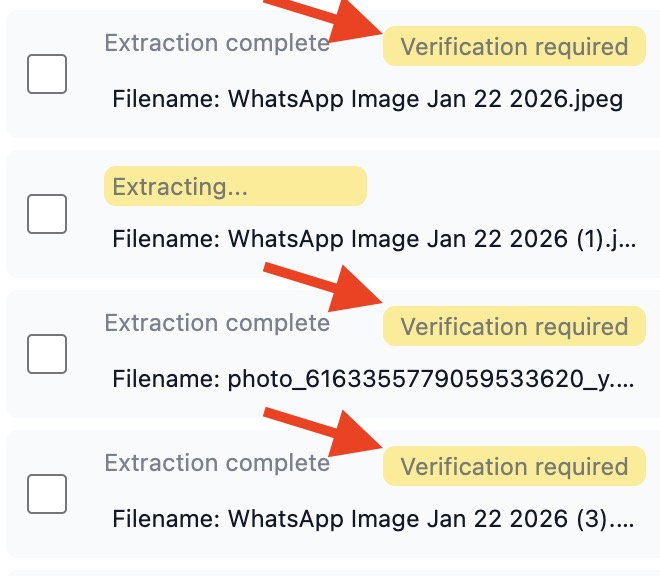
Bills that has completed AI extraction and requires human (you) verification will be labeled as “Verification required”
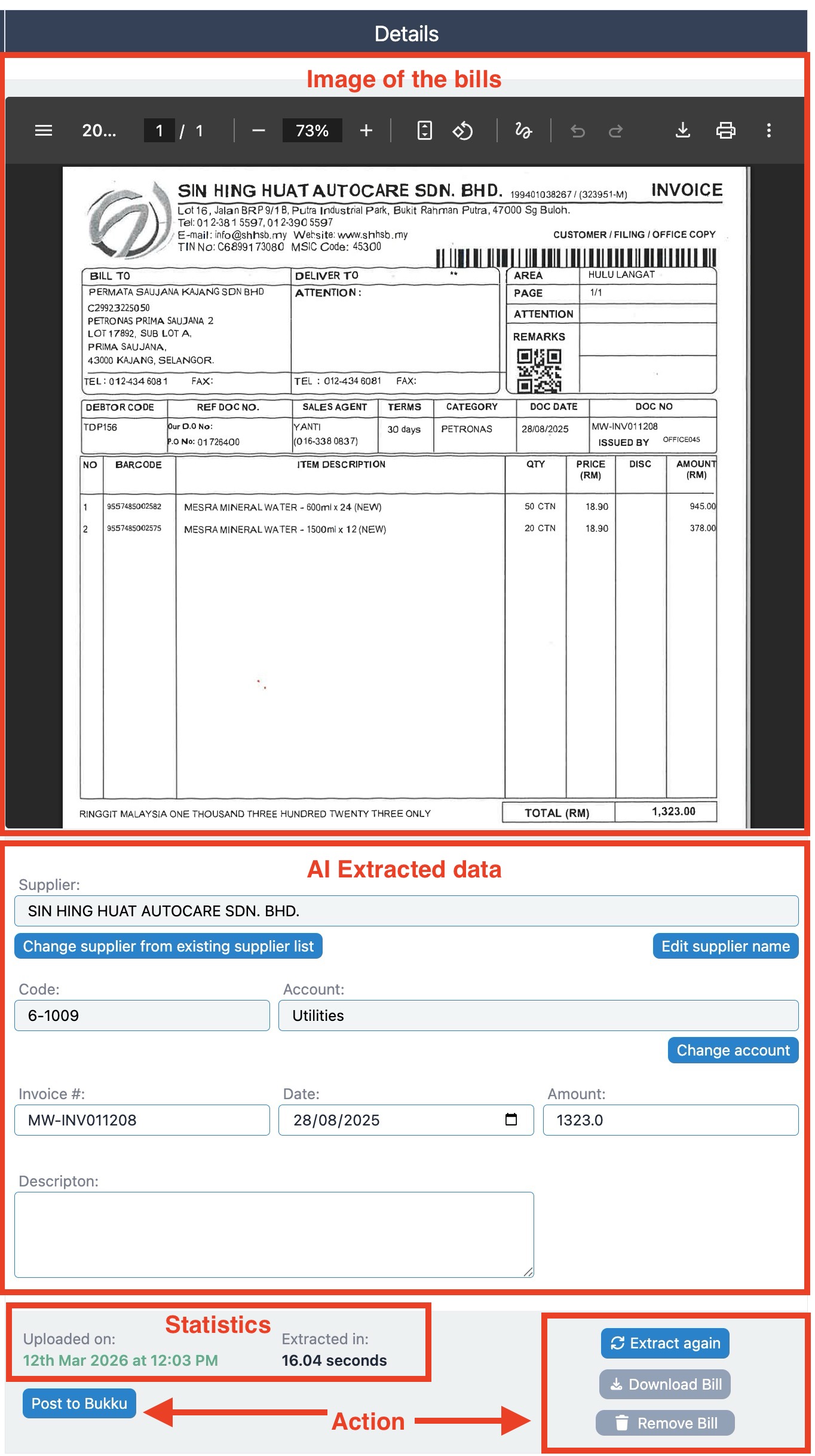
Clicking on a bill wil show details about the bill; its image, extracted data, statistics and actions that can be performed on this bill.
If a bill has a “New supplier” means the bill has no supplier associated with this bill or station.
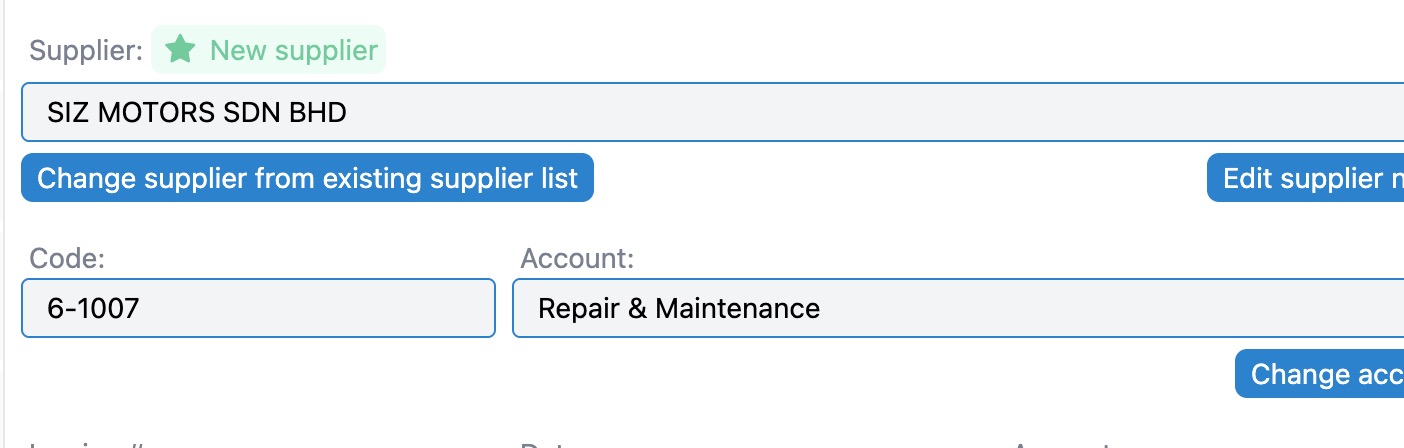
If you think AI is wrong and there suppliers association with this station you can click on “Change supplier from existing supplier list”.
If you think the AI is spelled the Supplier incorrectly, you can change it by clicking “Edit supplier name”
The AI can also categorize the bill by the Account Code and Name. If you think the AI is wrong at selecting the Account, you can change it by clicking on “Change account”
AI will also extract other data such as Invoice number, date, amount and fill in the descripton with any hand written words (except signature) on the bill.
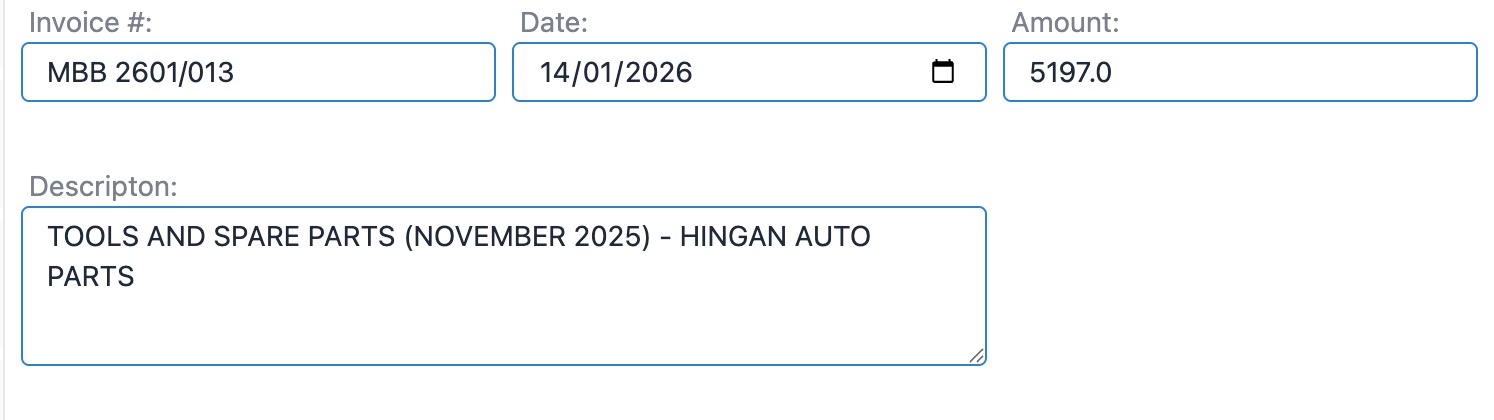
To edit simple click on the box that you want to change and make a change. Click outside of the form box and imbas will automatically save the changes. Example if you want to change the amount to 5100, simple click on the Ammount form box (the blue box) and change the figure to 5100. Click out of the blue box to have it automatically save.
At the bottom of the bill there 4 action buttons; Post to Bukku, Extract again, Download bill and Remove bill. "Post to Bukku" will on post this single bill to Bukku.

"Extract again" will send the bill back to AI have it extract the data again. You can do this if the status did not change from "Extracting..." to "Verification required"
Alternatively you can post to Bukku mutiple bills (we call this bulk posting). See next step 😁
Once you've verify the extracted data is correct you can just click on "Select All" to select all the bills or simply select bills that you wish to post. Clicking again the "Select All" will unselect all the bills.
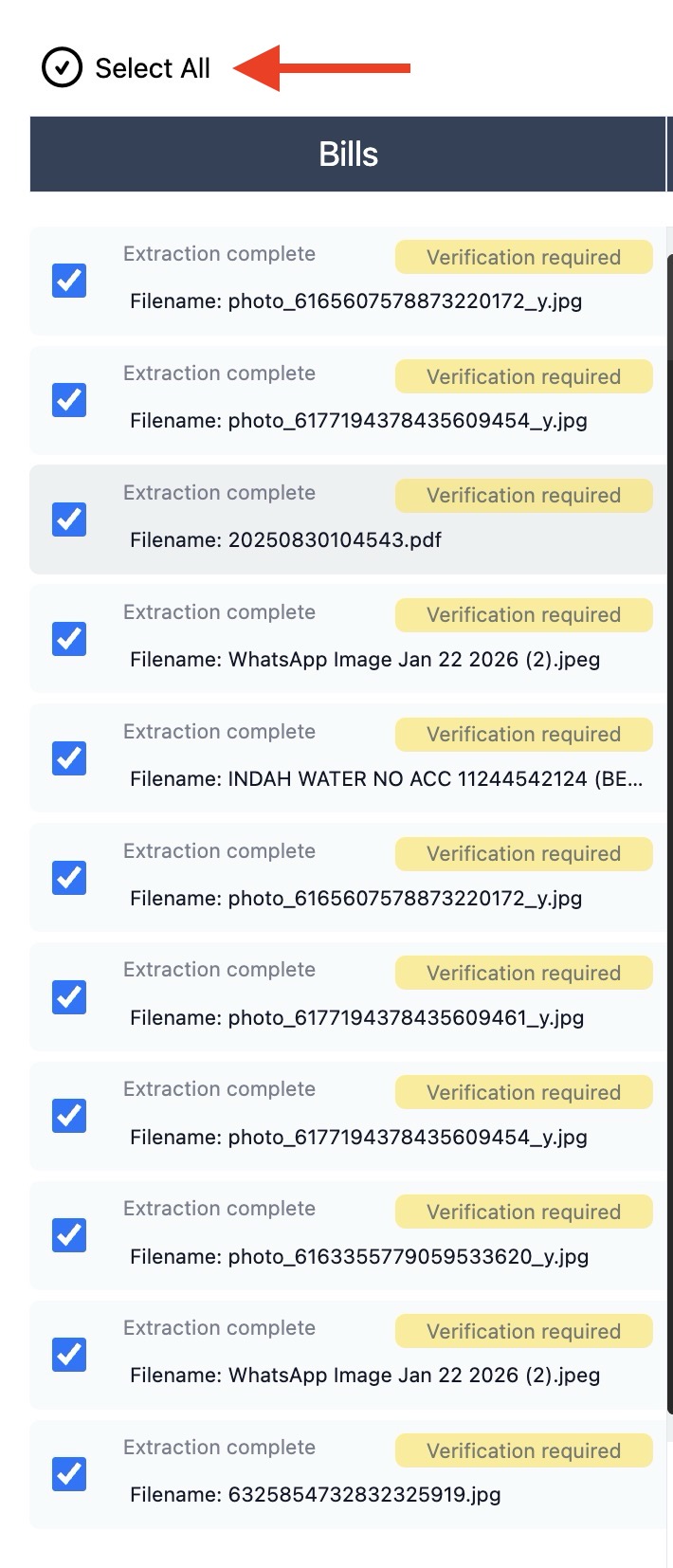
Then simply click on Post to Bukku to post the bills that was selected. The button will also indicate how many bills were selected.
